Security and Data Handling
How form links, credentials and CRM data are handled.
Secure Form Links
Each generated form uses a unique secure link. The link identifies the form and its associated CRM record without requiring the CRM Record ID to be exposed as a visible or hidden form field.
Data Storage
JetSubmit does not persist CRM field values or submitted form contents. JetSubmit stores only the minimum required to operate the service:
- secure OAuth credentials
- operational metadata required to operate the service
CRM data is retrieved from HighLevel when required, and updates are written back to HighLevel.
Optional Identity Verification
When send_verification_code is set on the action (Contact and Opportunity only), the form is gated behind a one-time code before any record data is loaded or rendered.
- The code is sent to the phone number or email address already stored on the target record. The recipient cannot nominate a different destination.
- Delivery goes through the sub-account’s own connected HighLevel messaging.
- Requesting a code is not a side effect of opening the link, so link scanners and previewers do not consume or trigger codes.
- Code requests and attempts are rate limited.
- A browser that has verified remains trusted for 48 hours; the request and the entry can happen on different devices.
Custom Link Domains
A location can serve its form links from a hostname it owns. The hostname is attached and verified through the DNS records shown in dashboard Settings, and a TLS certificate is issued for it before it becomes active.
Changing the domain does not orphan links that are already out: when a verified domain is replaced, the previous hostname stays valid for 60 days so forms already sent keep working, while newly generated links use the current domain. Removing a domain manually detaches it immediately.
Ending and Restoring Link Access
A link stops operating when:
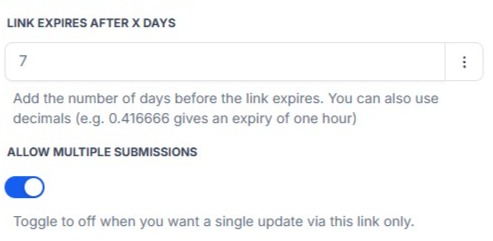
- it expires,
- single-submission mode is enabled and the first successful submission has occurred, or
- it is retired from the Forms dashboard
Retire ends access to a selected link immediately, ahead of its configured expiry. Reactivate 30 days restores a retired or expired link for a further 30 days, so an interrupted request can be resumed on the original URL instead of a newly generated one. Both actions are recorded in the dashboard Log.